Google Meet:
Designing Smooth & Memorable Icebreakers
TIMELINE
Summer 2025
TEAM
Just Me
ROLE
Product Designer
SKILLS
Product Design
Motion Design
Prototyping
OVERVIEW
One Week to Melt the Ice
I was challenged to design a Google Meet feature that makes icebreakers smoother and less awkward for groups who don’t know each other well. In one week, I created a feature called Floating Notes, a lightweight, playful mode built directly into the Meet grid.
The concept earned strong, direct praise from an ex-Google UX designer.
PROBLEM
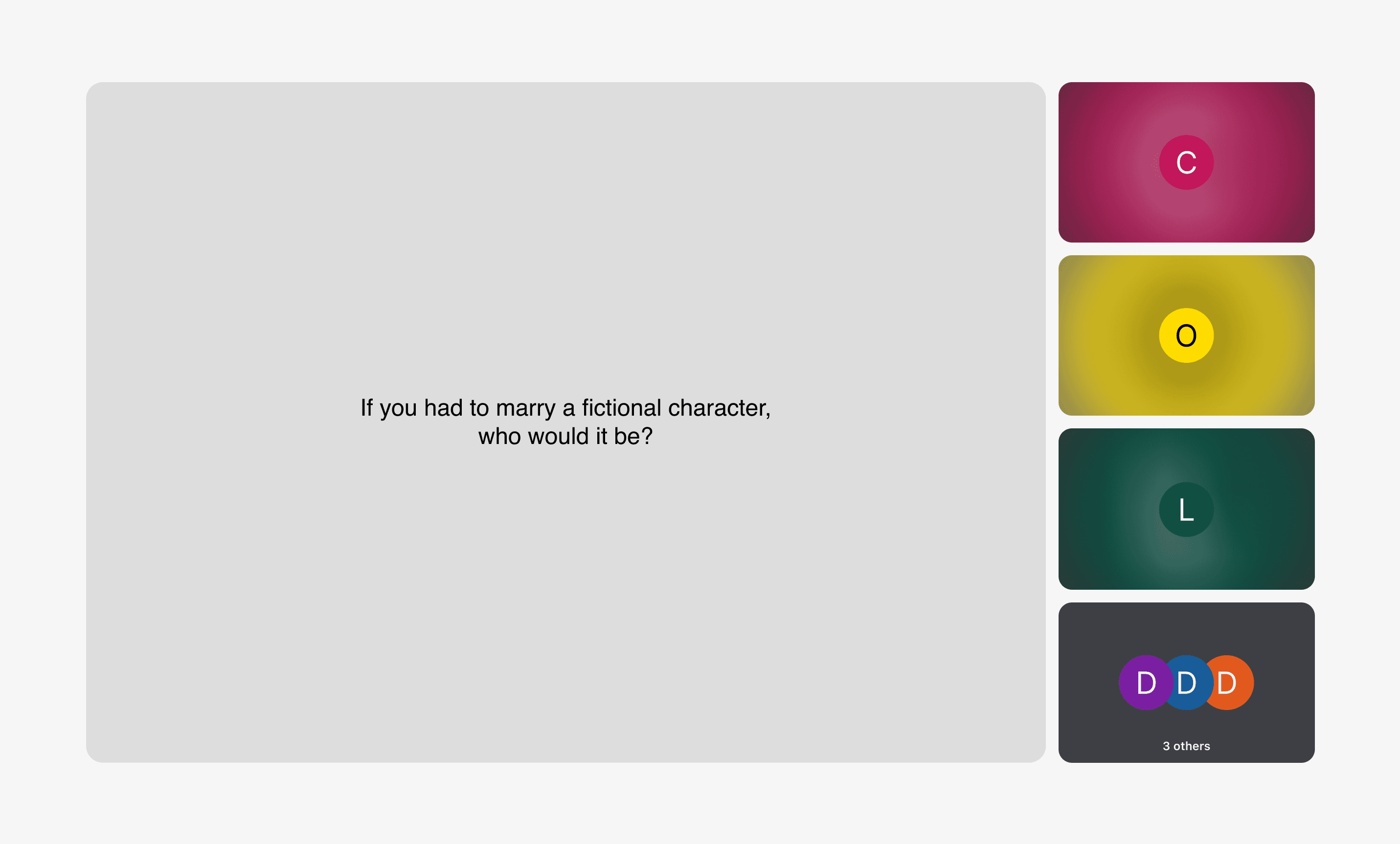
Icebreakers often end up feeling like the coldest part of the meeting.
Most icebreakers become a quiet stare at a single question slide. People are so busy crafting their answer and bracing for the spotlight that they barely look at each other.
This turns what should be a human moment into something cold and forgettable.
CHALLENGES
How do we make faces & presence—not slides—the center of attention?
Online interactions feel colder, making it easy to hide behind slides, sidebars, and the tiny group tile. The challenge was to design something that naturally pulls attention back to faces, reactions, and presence.
How do we make the space feel low-stress and expressive?
Icebreakers shouldn’t feel like pop quizzes or punchline contests. We needed a playful, low-pressure environment where personality can come through in more than just spoken words.
How do we solve the “memory loss” problem?
People immediately forget what the first person said. We needed lightweight interactions that help participants actually remember each other.
How do we give facilitators smoother control?
Timing and transitions are messy, and facilitators often feel impolite in interrupting someone. The system needed a clearer structure, smoother handoffs, and settings that could be configured upfront but still adapt as the session evolved.
DESIGN HIGHLIGHTS
Turning the Grid Into a Sharing Circle
Instead of adding new panels or side tools, I connected the center of the Meet grid into a “question island.”
This transforms the screen into a circle where everyone can actually see each other’s reactions while sharing, making the moment warmer, more human, and less awkward.
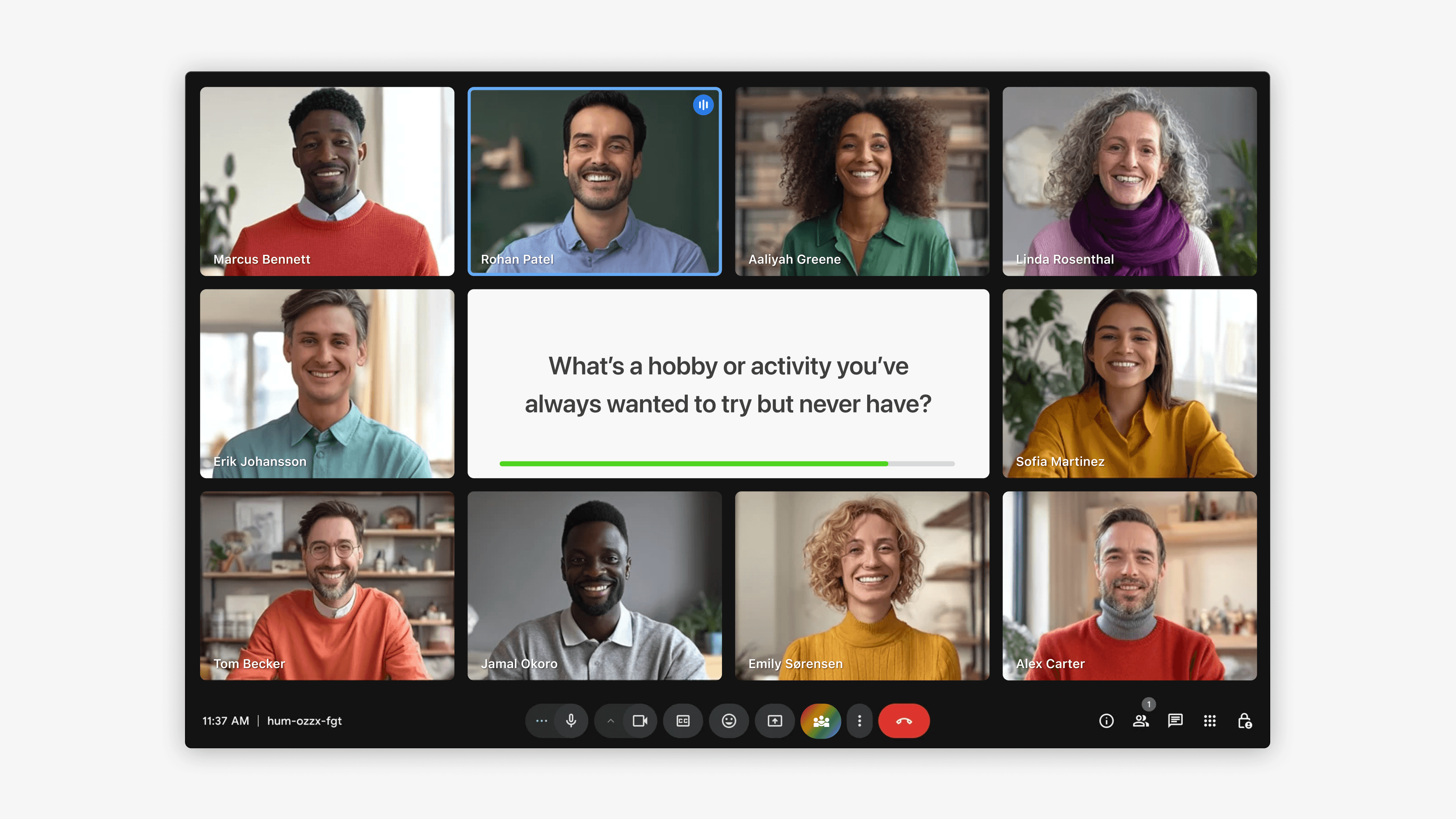
Floating Notes for Playful, Interactive Expression
Participants answer with customizable cards that support text, emojis, photos, and simple doodles. No screen-sharing needed.
Hovering over someone brings their card forward, allowing quick glances and helping people actually remember each other.
Let Gemini Go First
No one wants to be the awkward first speaker. Let Gemini kick things off with a light, humorous, or silly answer that sets the tone and lowers the collective pressure.

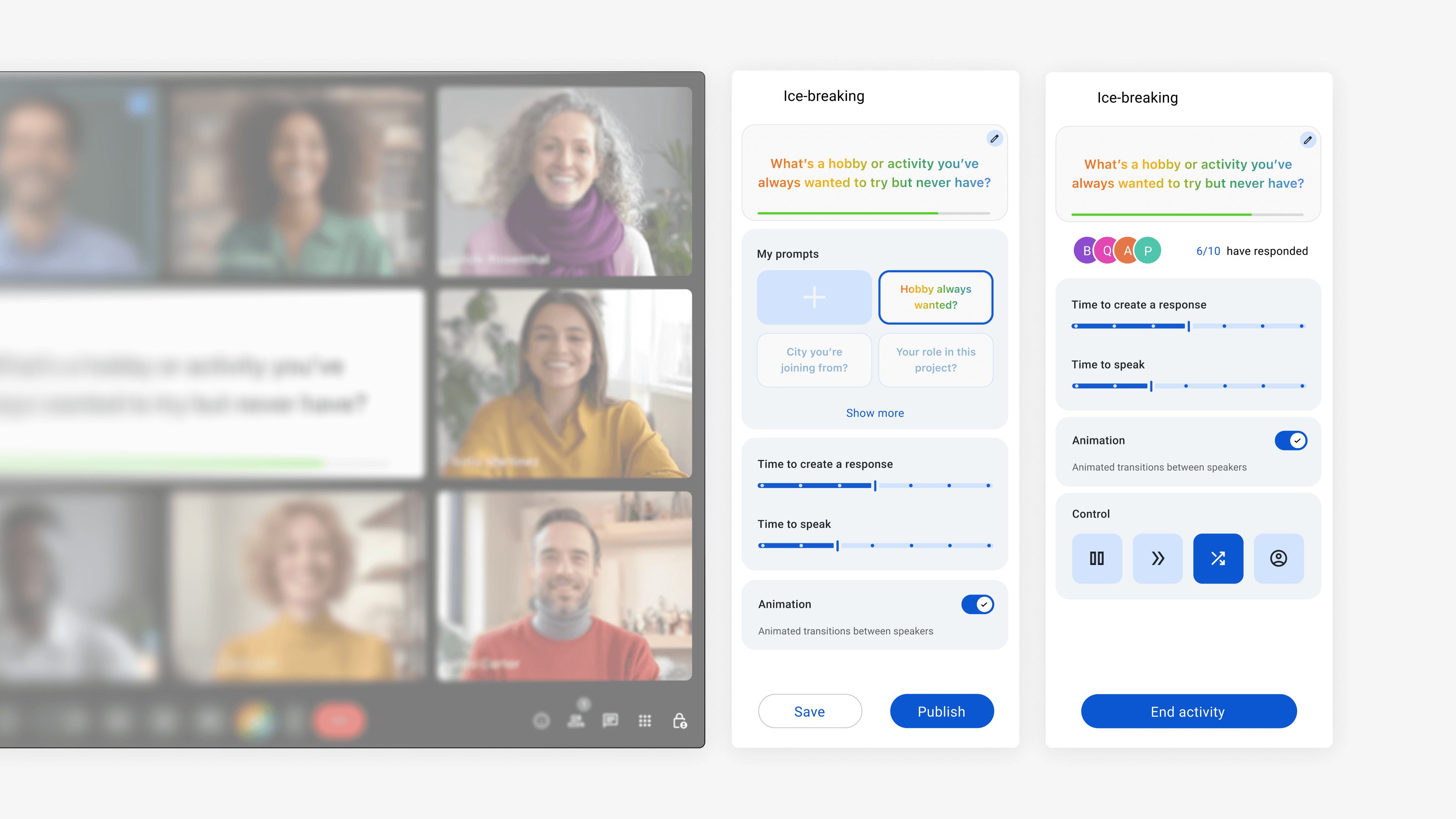
A Pre-Set Flow With Easy On-the-Spot Adjustments
Facilitators configure timing and order in advance, and can manually adjust anything during the session as needed.
OUTCOME
A Warm Signal
The concept received strong, direct validation from an ex-Google UX designer, who emphasized how surprisingly effective the simplicity of the idea was.
My biggest takeaway: solutions don’t always need to be complex. When we focus on one real pain point and shape our solution around it, the result can feel fresh, intuitive, and genuinely human.